📌 Use the tool above to see which booking method and timing works best for your route, then read the full process below.
Pakistan Railway Online Booking 2026 — A Straightforward Walkthrough
A lot of people still assume pakistan railway online booking is complicated, or that it only works properly half the time. Honestly, that reputation is a bit outdated now — the system has improved quite a bit, and once you know the steps, it takes just a few minutes.
I've walked a number of first-time users through this process, and the confusion usually isn't about the booking itself — it's about which platform to use and what to do when a seat shows as unavailable.
This guide covers both the app and website options, what to expect at each step, and a few things that genuinely trip people up.
Two ways to do pakistan railway online booking
There are currently two main routes for booking — the official mobile app, and the website. Both pull from the same seat inventory, so neither one gives you an advantage in terms of availability.
The app tends to be a bit smoother on mobile data, especially in areas with slower internet. The website works fine too, but some users find the layout less convenient on a phone screen.
Important tip: Create your account a day or two before you actually need to book. Account verification can occasionally take a bit of time, and you don't want that delay eating into your booking window for a popular train.
Step-by-step booking process
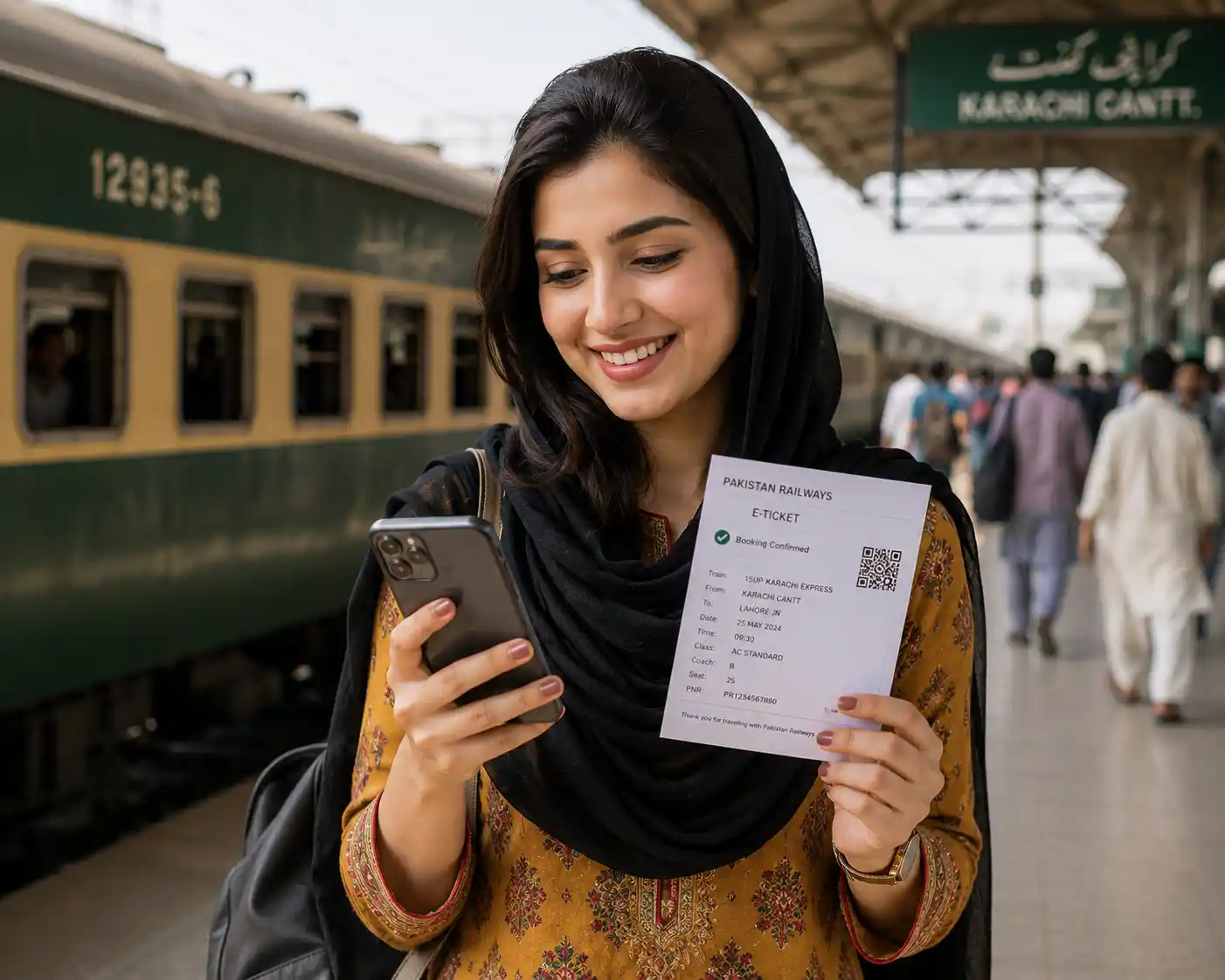
Here's how the actual process plays out, whether you're using the app or the website:
Step 1: Open the app or visit the official booking portal and log in or create an account.
Step 2: Enter your origin and destination stations, along with your travel date.
Step 3: Review the list of available trains and select your preferred class — Economy, AC Standard, or Business.
Step 4: Enter passenger details exactly as they appear on CNIC, since mismatched names can cause issues at the station.
Step 5: Pay through your preferred method and save your e-ticket or PNR confirmation.
What to do when your preferred train shows no seats
This is probably the most common frustration with pakistan railway online booking. Popular routes — especially Lahore to Karachi or Rawalpindi to Lahore — fill up fast, particularly around holidays.
In my experience, checking a day or two before your intended travel date rarely works for these routes. If you genuinely need to travel on a specific day, it's worth checking the booking window 5 to 7 days in advance, sometimes more during Eid season.
Real situation: I've noticed that Economy class tends to sell out faster than AC or Business on long routes, simply because more people book it. If your dates are flexible, checking nearby travel dates sometimes opens up better options than waiting for your exact preferred day.
Payment options for online booking

Most platforms accept debit and credit cards, along with mobile wallet options like JazzCash and Easypaisa. Bank transfer is sometimes available too, depending on the platform you're using.
One thing worth double-checking: confirm your payment actually went through and your ticket status shows as confirmed before leaving for the station. A pending payment that never completes is a common reason people show up without a valid booking.
If something goes wrong during booking
Payment failures or app glitches happen occasionally, and it's worth knowing what to do rather than panicking.
If your payment was deducted but no ticket was issued, don't immediately try booking again — this can sometimes lead to a double charge. Wait a few minutes and check your booking history first. If the ticket genuinely didn't go through, contact support through the Pakistan Railway helpline number rather than retrying the payment immediately.
For travelers who are also exploring Railways as a career option, our Pakistan Railways Jobs 2026 Punjab guide walks through the eligibility and application process.
Common mistakes during pakistan railway online booking
A few small things tend to trip people up during the process:
1. Entering passenger names that don't exactly match the CNIC — this can cause problems during ticket checking on the train.
2. Waiting until the last minute for long-distance or holiday travel, when seats are usually already gone by then.
3. Not saving or screenshotting the e-ticket, which can be a hassle if your phone has connectivity issues at the station.
Frequently Asked Questions
Q: How does pakistan railway online booking actually work?
You can book through the official mobile app or website by entering your origin, destination, and travel date, then selecting an available train and class. After entering passenger details and completing payment, you receive an e-ticket or PNR confirmation that you'll need to show during the journey.
Q: How far in advance should I book my ticket?
For short routes, a few days ahead is usually fine. For long-distance or popular routes, booking 5 to 7 days in advance is safer, and during Eid or summer holidays, booking even earlier helps avoid disappointment.
Q: What payment methods are accepted for online booking?
Most platforms accept debit and credit cards, along with mobile wallets like JazzCash and Easypaisa. Some also support bank transfers, depending on which platform you're using.
Q: What should I do if my payment was deducted but I didn't get a ticket?
Don't book again immediately, as this can lead to a double charge. Check your booking history first, wait a few minutes, and if the ticket still hasn't appeared, contact the Pakistan Railway helpline for assistance rather than retrying the payment.
Final thought
Once you've gone through pakistan railway online booking a couple of times, it genuinely becomes routine. The first attempt is usually where most confusion happens, so going in with the steps above should make things considerably smoother.
Use the tool above to figure out your ideal booking window, and keep your payment confirmation handy until you've boarded. If you run into a specific issue, feel free to ask in the comments.
Disclaimer: Booking platforms and processes may be updated periodically. Always confirm current steps through the official Pakistan Railways website.
Free Railway & Government Job Updates!
Booking tips, helpline updates, and job alerts — delivered free on WhatsApp and Telegram.